
How two-factor authentication protects your boss99 account
Two-factor authentication is a second lock on your account. The first lock is your password—something only you know. The second lock is a time-limited code—something only you can receive. Together, they make it nearly impossible for someone else to log in, even if they somehow grab your password.
On boss99, we offer two verification methods: email codes and SMS codes to your registered mobile number. When you enable 2FA, we ask you to pick one (or both). Every login and every withdrawal request then requires you to enter that code within a set time window—usually five to ten minutes. If you don't enter it, the attempt fails and your account stays locked.
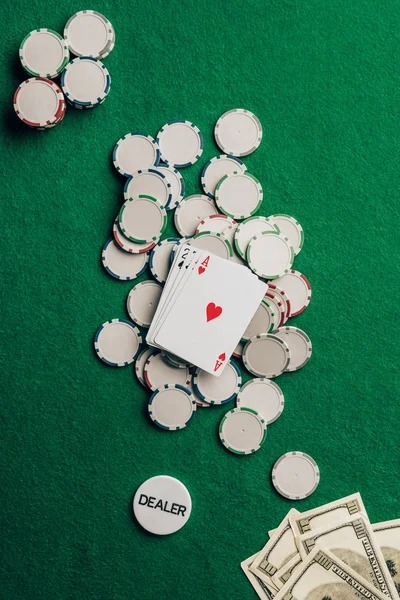
Think of it this way: your password is like a house key, but 2FA is the alarm code you have to punch in when you open the door. Even if someone steals your key, they can't get inside without the alarm code.
Key takeaways
- 2FA adds a second verification step to every login and withdrawal
- We send codes via email or SMS; you choose which method suits your routine
- Codes expire in five to ten minutes; you must enter them during that window
- 2FA is optional during signup but strongly recommended before any payment
- You can change or disable 2FA anytime from your security settings
Setting up 2FA on your first login
When you create a boss99 account, we ask for your email and password. On the next screen, we offer 2FA as an optional upgrade. We recommend you enable it immediately—before you verify your identity or link any payment method.
Why 2FA is critical before you deposit
Your payment information—your DANA, e-wallet, mobile banking, local payment, online payment, e-wallet, mobile banking, local payment, online payment, and e-wallet details—live in your boss99 account. Without 2FA, a compromised password gives a thief access to all of it. With 2FA, even a stolen password is useless because the thief can't generate the code that sits in your email or phone.
We see it often: a user ignores 2FA, gets phished, loses their login, and then discovers unauthorised withdrawals or, worse, fraudulent deposits made on their account name. Two-factor authentication stops this cold. We strongly encourage all users—especially those playing Liga 1 football markets or high-stake live-dealer tables—to activate it before their first payment.



Email vs. SMS — which should you choose?
Both methods work equally well on boss99. Email is reliable if you check your inbox regularly and your email account is secure. SMS is convenient if you always have your phone with you. Many users enable both: primary 2FA via email, backup via SMS.
If you travel between Medan, Semarang, Yogyakarta, or Bandung, or if you often change devices, SMS can feel faster because you don't have to navigate to another app. But if you're on a desktop playing Texas Poker or live blackjack, email is just as quick—it arrives within seconds, and you paste the code back into your browser.
What happens when you withdraw with 2FA active
When you request a withdrawal—whether to mobile banking, local payment, online payment, e-wallet, mobile banking, a bank transfer, or local payment—2FA adds one more verification step. You submit the withdrawal form with your amount and destination. We then send a verification code to your email or phone. You check your inbox or text, grab that code, and enter it on the confirmation page. Only then does your withdrawal enter our processing queue.
This double-check protects you twice over: it prevents a hacker from siphoning your balance, and it gives you a moment to catch any mistake. If you see a withdrawal you didn't request, you simply don't enter the code—the request expires after ten minutes, and your balance stays put.
Troubleshooting: code didn't arrive
Occasionally, codes take longer than usual—especially during peak hours around Idul Fitri, Idul Adha, or Imlek when email and SMS traffic spikes. Here's what to do: wait two to three minutes and check your spam folder. Email filters sometimes mislabel our codes as suspicious. If you still don't see it, request a fresh code by clicking "Resend" on the verification screen. Each new request sends a fresh code, invalidating the old one.
If SMS codes never arrive, check that your phone number on boss99 matches your real number, and that your phone has a good signal. If emails pile up in spam repeatedly, whitelist our sender address in your email provider's settings. If neither method works, contact our support team via live chatwe can temporarily disable 2FA and send you a recovery process.